

"Normal" vector layers store geometrys using numerical coordinates (depending on the geometry type, single points or sequences of points with X/Y coordinates).
"Linearly referenced" layers use numerical stations (points or segments) on associated line geometrys.
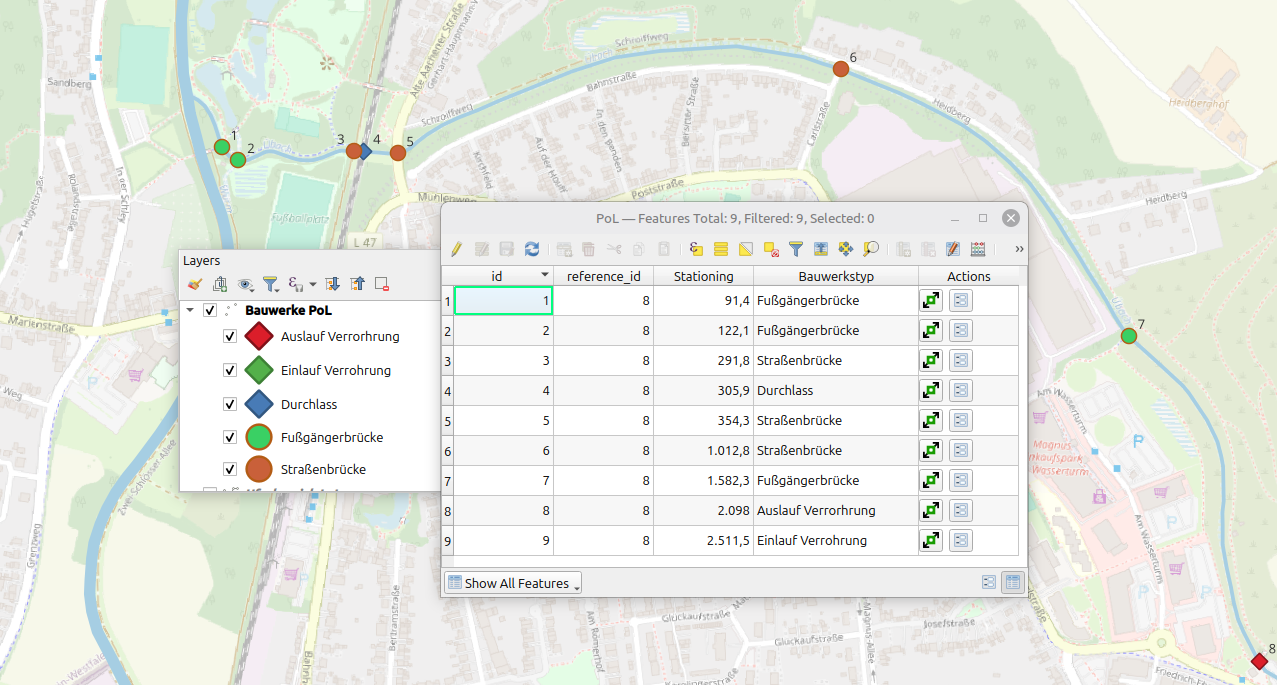
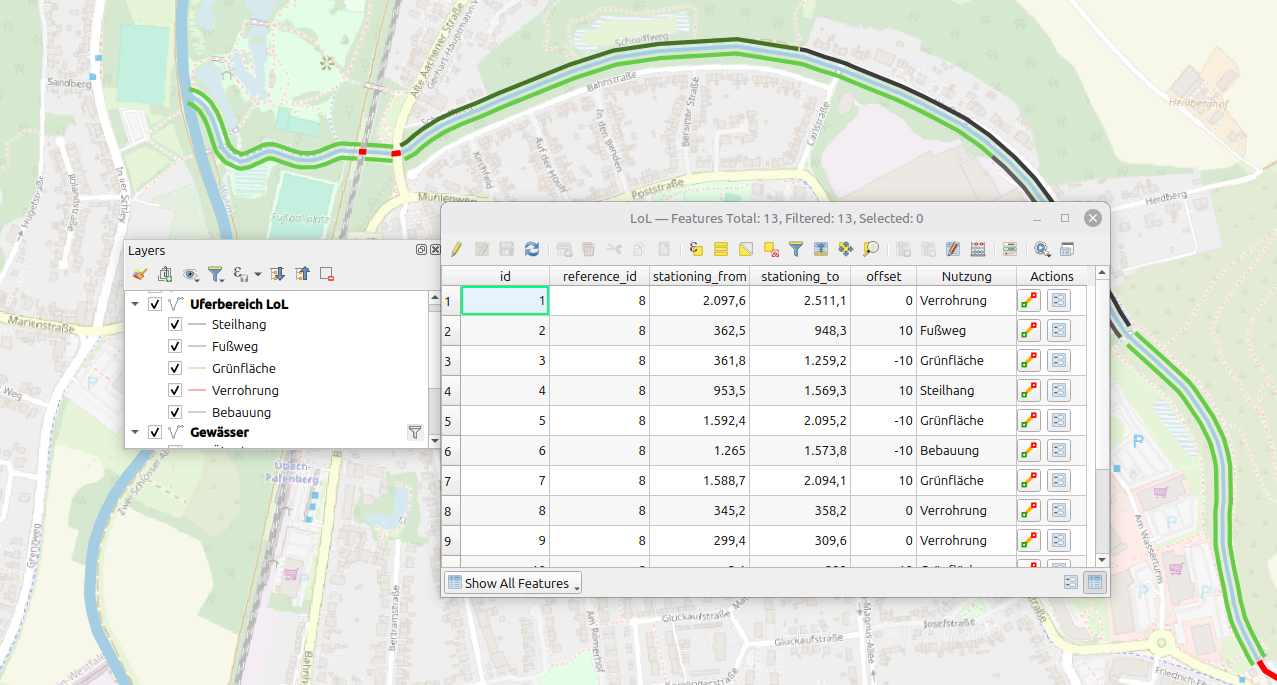
A subsequent change to the LR mode is possible, but requires the conversion of existing stationings.
This can be done with field-calculater, alternatively with python-script:
| LineString | vs. | LineStringZM (with registered Data-layer) |
 |
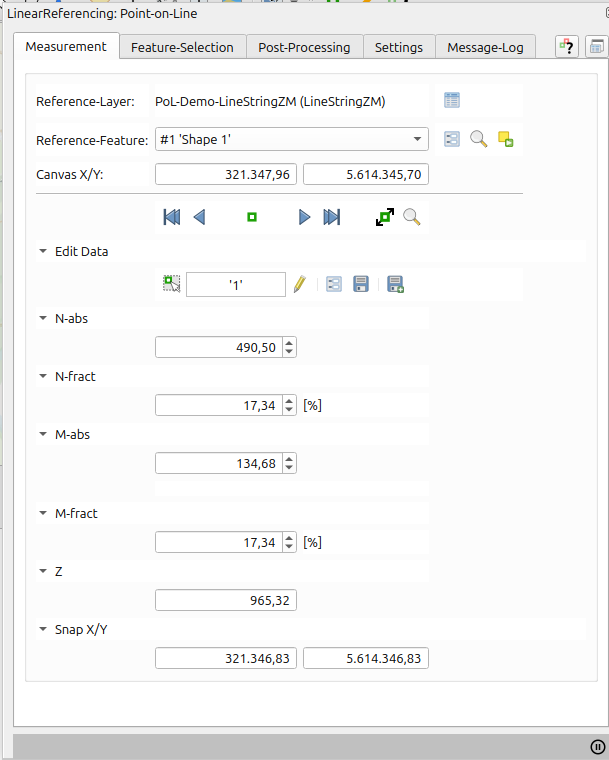 |
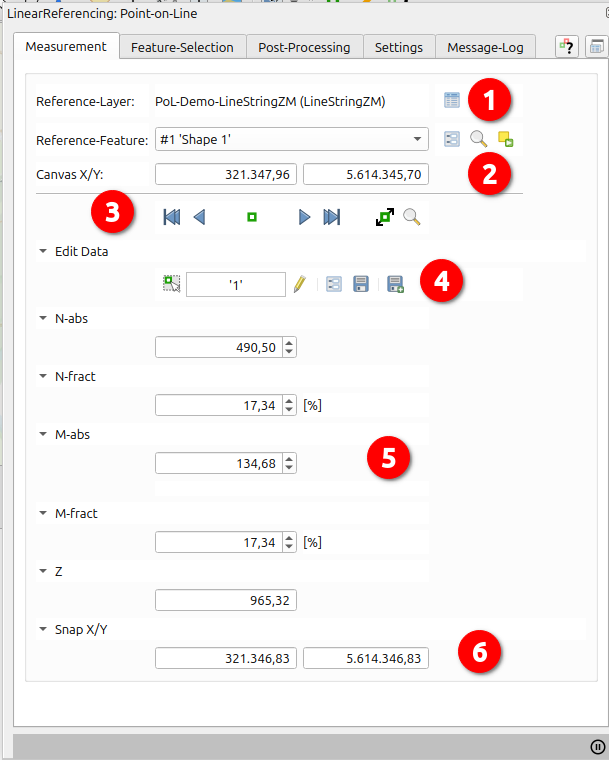
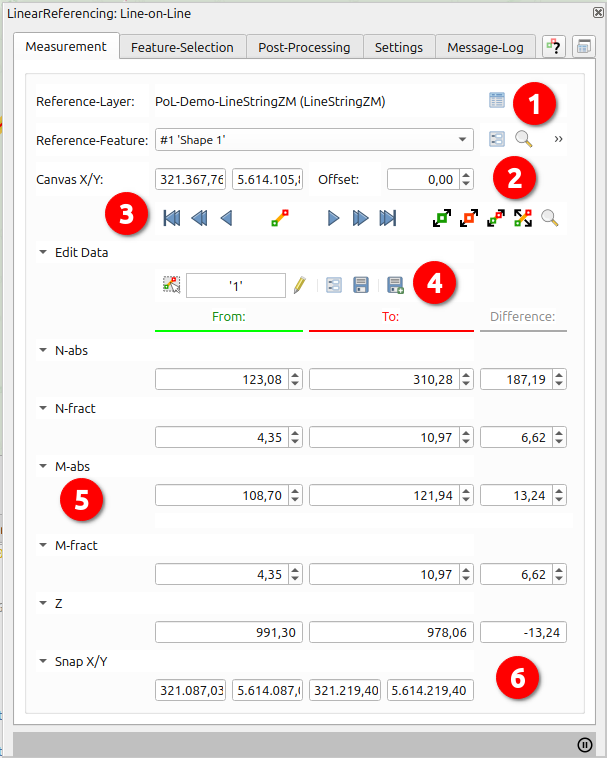
 Access associated help page
 dock/undock dialog
 Open attribute-form
 Open attribute-table
 zoom/highlight feature
 select feature in
layer
select feature in
layer
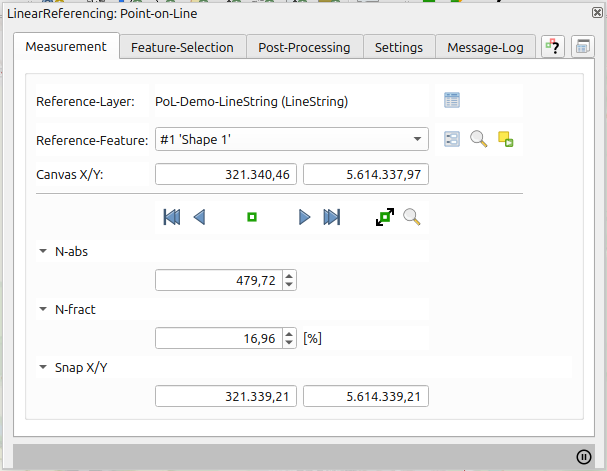
For measurement only the registration of a suitable reference layer (LineString) is required.
 to start measurement
 |
|
 |
|
 |
|
 insert Feature
(opens attribute-form with currently displayed stationings)
insert Feature
(opens attribute-form with currently displayed stationings) save feature
(opens attribute-form of selected feature, but using currently displayed stationings)
save feature
(opens attribute-form of selected feature, but using currently displayed stationings)
User-definable selection of records for visualization and editing.
Selection can be done on map
, from
attribute-tables/forms (Data-layer/Show-layer) (see Layer-Actions) or using  .
.
Plugin-recorded features are also included.
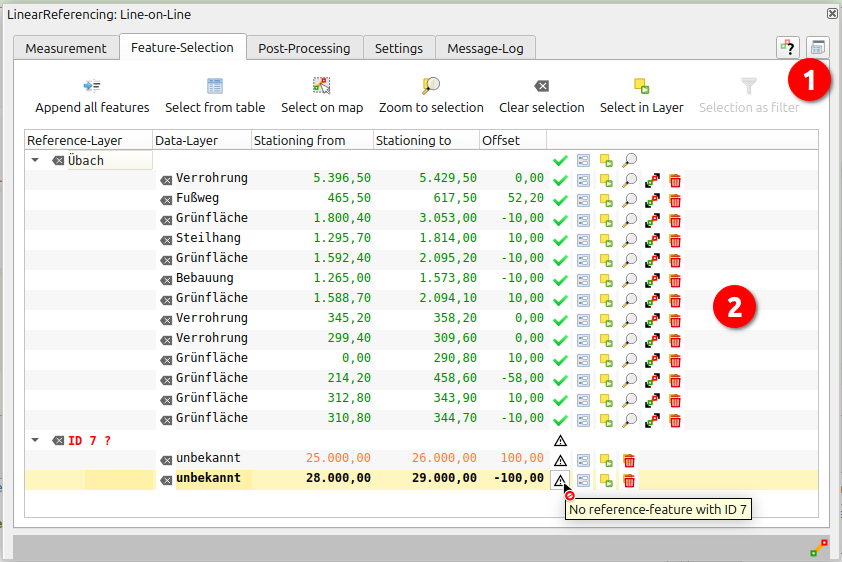
Validation-problems (f. E. stationings out of bounds, missing reference-features...) are symbolized in treeview with according hints.
|
|
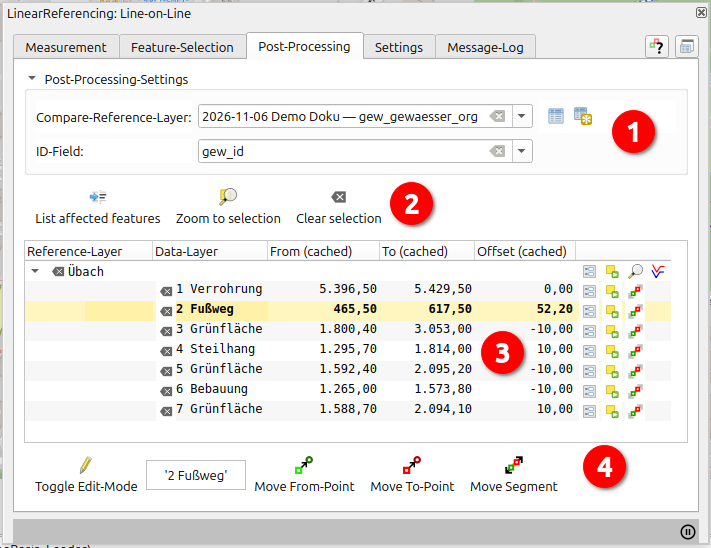
"PostProcessing" allows the combination of Data-Layer with an alternative reference-layer-version (must have same geometry-type, projection, reference-ids as reference-layer). As result all records are with affected linear referenced geometries are listed.
From this list the two versions can be cartographically contrasted und stationings adjusted.
 If necessary: Create
and/or register a backup-version with the original geometries in
PostProcessing-settingsStart
PostProcessing, which will identify the altered reference-geometries and the
affected linear referenced geometriesStart
PostProcessing, which will identify the altered reference-geometries and the
affected linear referenced geometries
If necessary: Create
and/or register a backup-version with the original geometries in
PostProcessing-settingsStart
PostProcessing, which will identify the altered reference-geometries and the
affected linear referenced geometriesStart
PostProcessing, which will identify the altered reference-geometries and the
affected linear referenced geometries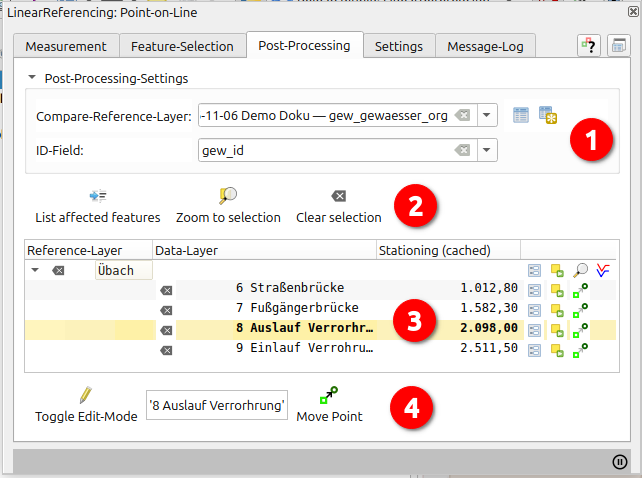 |
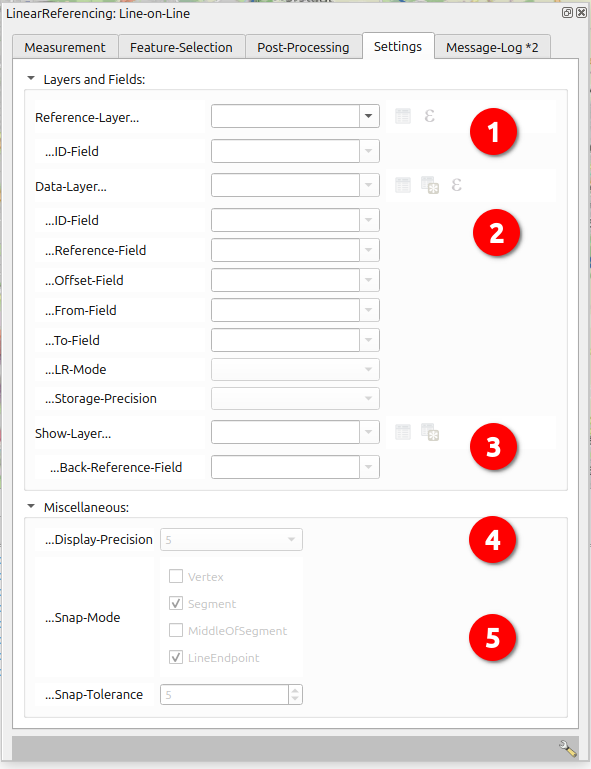
1. Settings:
|
 |
1. Settings:
|
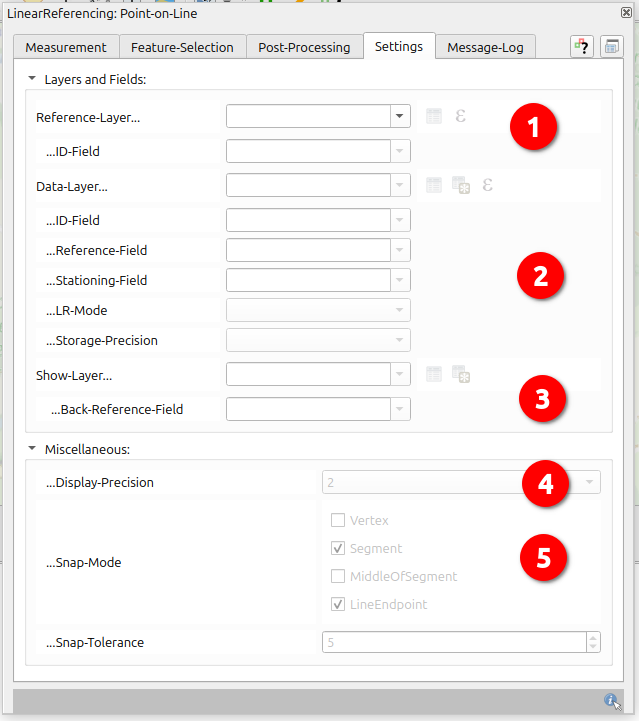
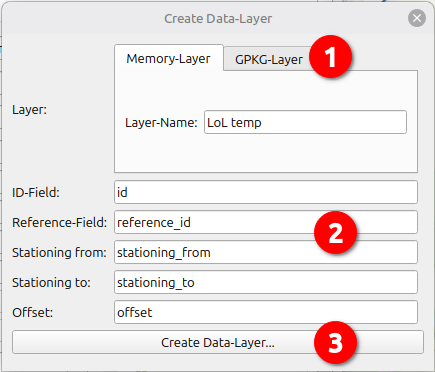
Base for all usages is the "Reference-Layer", for recording a "Data-Layer" is necessary, for cartographic representation a "Show-Layer".
|
|
|
|
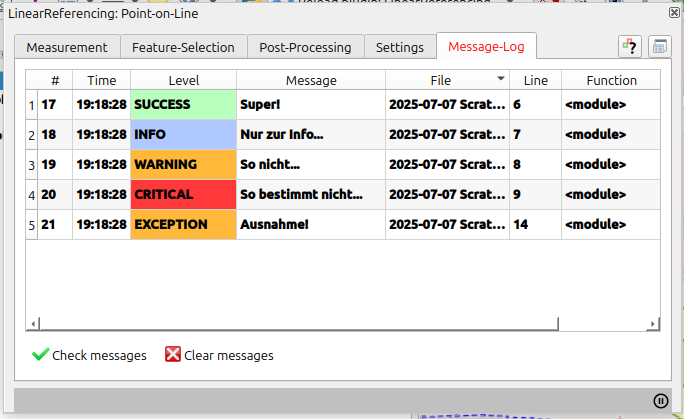
System-messages, errors, debug-metas (file/line/function/backtrace as tooltip)
| PoL Data + Show-Layer: | LoL Data + Show-Layer: | LoL/PoL Reference-Layer: | |
|---|---|---|---|
|
|
|
|
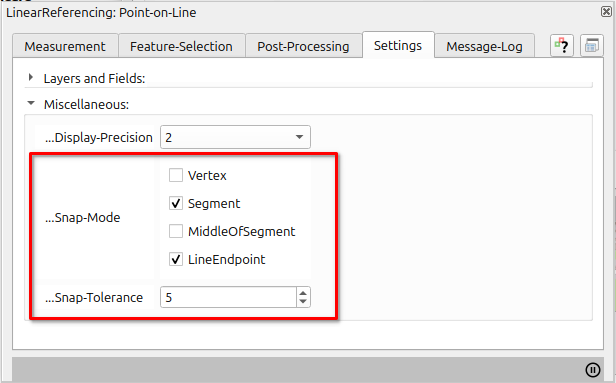
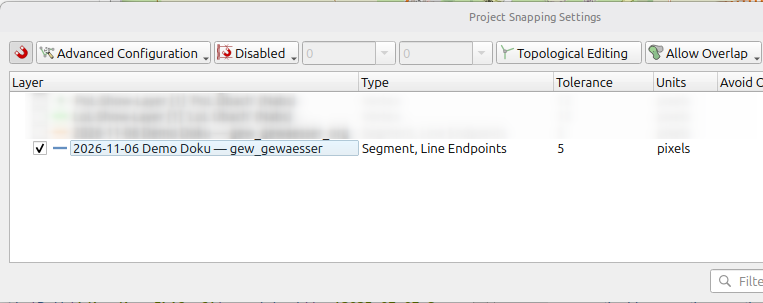
The configurable snap-settings under Settings/Miscellaneous are a subset of QGis-Advanced-Snap-Settings and applied to reference-layer.
With each use of one of the plugin-maptools these settings will replace any other snap-settings in the current project.
| Plugin | => | Projekt |
|---|---|---|
 |
 |
Author:
Ludwig Kniprath
Mailto:
ludwig[at]kni-online.de
Plugin-Version:
2.1.0 (2026-01)
Plugin-Download:
Source-Code und Tracker:
https://github.com/Ludwig-K/QGisLinearReference/
Lizenz:
GNU General Public License v3.0
 Move point
to start of referenced line
Move point
to start of referenced line Move point in
starting direction
Move point in
starting direction
 Move point
towards end of the line
Move point
towards end of the line Move Point
to the end of referenced line
Move Point
to the end of referenced line Move point
interactive on referenced line
Move point
interactive on referenced line Flip segment
in starting direction
Flip segment
in starting direction Resume measurement
 Flip
segment towards end of the line
Flip
segment towards end of the line Move
to-point interacitve
Move
to-point interacitve
 Move
segment interacitve
Move
segment interacitve Change offset
interacitve
Change offset
interacitve Select
single feature for edit
Select
single feature for edit Toggle Data-layer
edit mode
Toggle Data-layer
edit mode Zoom/Highlight
listed features
Zoom/Highlight
listed features  Clear list
 use
listed features as filter for Data/Show-layer
use
listed features as filter for Data/Show-layer
 /
/
 Validity (cause of error shown as tooltip, here: referential
integrity failure because of missing reference-feature for this ID)
Validity (cause of error shown as tooltip, here: referential
integrity failure because of missing reference-feature for this ID)
 delete
record
delete
record
 show deviating
areas of reference-feature
show deviating
areas of reference-feature Zoom/pan/highlight
deviating linear referenced geometries (selects feature for
editing, see below)
Zoom/pan/highlight
deviating linear referenced geometries (selects feature for
editing, see below) move
point
move
point
 move
from-point
move
from-point
 move to-point
 move segment
 call dialog
for layer-property "Display-Name" (affects some dialog-contents)
call dialog
for layer-property "Display-Name" (affects some dialog-contents)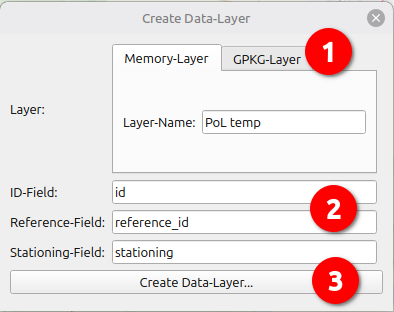
 /
/  zoom/highlight
reference-feature
zoom/highlight
reference-feature